

What’s Wrong With Your DeWalt DCD771C2 Battery and How to Fix It?
Your DeWalt DCD771C2 battery not holding charge is frustrating, but most issues have simple fixes. The problem typically stems from battery memory effect, corroded contacts, improper charging, or a failing battery cell. In many cases, you can restore performance through cleaning, recalibration, or storage adjustments. This guide covers diagnosis, troubleshooting steps, and when replacement becomes necessary. Understanding the root cause saves time and money while getting your drill back to work quickly.
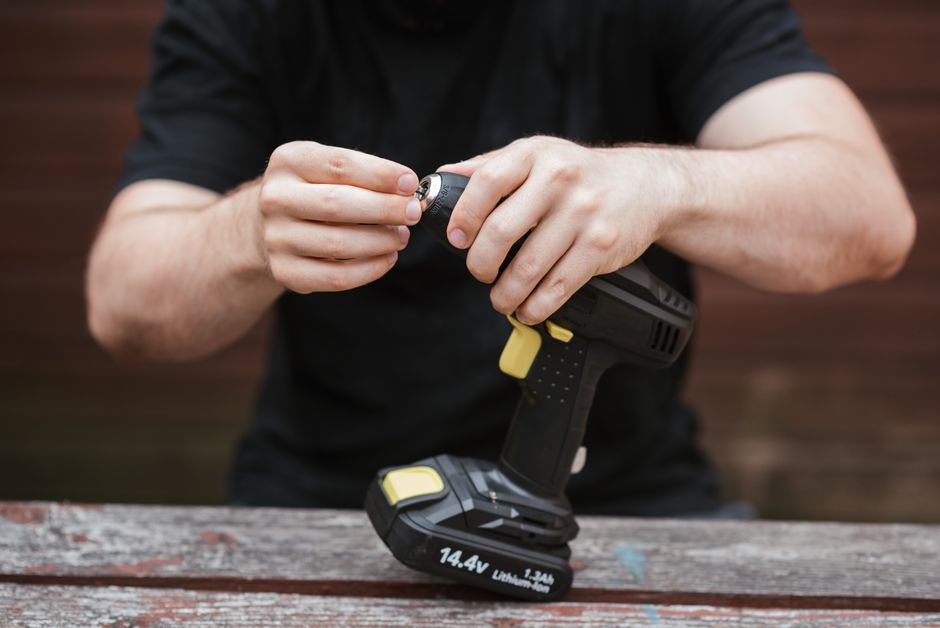
The DCD771C2 is a popular compact drill-driver with a 12-volt lithium-ion battery system. These batteries are reliable but require proper maintenance to maintain optimal performance. Common causes include temperature exposure, overcharging cycles, and dust accumulation on charging contacts. Even minor issues can significantly reduce runtime and charging efficiency. By following systematic troubleshooting, most users can identify and resolve their specific battery problem without professional service.
Key Takeaway: Most DeWalt DCD771C2 battery charging issues stem from contact corrosion, improper storage, or charger problems—not the battery itself.
Why Is Your DeWalt DCD771C2 Battery Losing Charge So Quickly?
Battery discharge happens for several reasons beyond normal use. The most common culprit is corroded or dirty battery contacts that prevent proper power transfer. When metal contacts oxidize, electrical resistance increases, reducing charging efficiency and runtime. Environmental factors like extreme heat, cold, or humidity accelerate degradation. Additionally, leaving the battery partially charged for extended periods can damage lithium-ion cells permanently.
Another major factor is charger malfunction. A defective charger may not deliver full voltage to the battery, leaving it partially charged. This incomplete charging cycle stresses the battery and shortens its lifespan. Age also plays a role—lithium-ion batteries typically lose capacity after 500-1000 charge cycles, which occurs faster with improper use.
Common Causes of Rapid Discharge
- Corroded or oxidized battery terminals and charger contacts.
- Charger malfunction or power delivery failure.
- Battery stored in extreme temperatures above 120°F or below 32°F.
- Overcharging or leaving battery on charger for extended periods.
- Internal battery cell damage from physical impact or age.
- Dust, debris, or moisture blocking electrical connections.
Identifying which cause applies to your situation is the first step toward a solution. Start by inspecting visible components for damage or corrosion before moving to more complex troubleshooting steps.
Key Takeaway: Contact corrosion and charger problems cause most DeWalt DCD771C2 battery failures, not battery defects.
How Do You Clean and Recondition a DeWalt DCD771C2 Battery?
Cleaning battery contacts restores proper electrical connection and often solves charging issues immediately. This simple maintenance task requires only a few common household items and takes about ten minutes. Start by removing the battery from the drill and unplugging the charger from the wall outlet for safety. Never attempt cleaning while the charger is powered on or connected to electricity.
Use a dry cotton swab or soft cloth to gently wipe all visible metal contacts on both the battery and charger. For stubborn corrosion, dip the swab lightly in white vinegar or rubbing alcohol, then wipe thoroughly. Allow all components to air-dry completely before reconnecting. Never use water or abrasive materials that could damage the contacts further.
Step-by-Step Cleaning Process
- Unplug the charger and remove the battery completely.
- Inspect all metal contact points for visible corrosion or discoloration.
- Gently wipe contacts with a dry cotton swab using circular motions.
- For stubborn corrosion, use a swab slightly dampened with white vinegar.
- Dry all components thoroughly for at least 30 minutes.
- Reinsert the battery and test charging for normal operation.
After cleaning, perform a full discharge and recharge cycle. Use the drill until the battery is completely dead, then charge it fully without interruption. This recalibration process helps the battery management system recalibrate its capacity sensors and often restores lost performance. Many users report significant runtime improvements after this conditioning cycle.
Key Takeaway: Simple contact cleaning with vinegar or alcohol often restores full charging capacity without replacing the battery.
What Charger and Storage Practices Prevent Future Battery Problems?
Proper storage and charging habits extend battery life significantly and prevent most capacity loss issues. Store your DeWalt DCD771C2 battery in a cool, dry location between 50°F and 85°F when not in use. Avoid leaving the battery on the charger for more than 24 hours, as overcharging damages lithium-ion cells. If you won’t use the drill for several months, remove the battery and store it separately at partial charge, around 40-60% capacity.

Always use the official DeWalt charger included with your kit or purchase an authorized replacement. Third-party chargers may deliver inconsistent voltage, damaging the battery over time. Check your charger regularly for damage, loose connections, or unusual heat during operation. If the charger becomes hot to the touch or makes unusual sounds, stop using it immediately and obtain a replacement.
Battery Storage and Charging Best Practices
- Store batteries at room temperature (50°F–85°F) in dry conditions away from moisture.
- Never store fully charged or completely depleted batteries for extended periods.
- Remove battery from charger within 24 hours of reaching full charge.
- Keep battery contacts clean and free from dust and debris regularly.
- Avoid exposing batteries to direct sunlight or near heat sources.
- Use only official DeWalt chargers or authorized replacement models.
Environmental temperature is critical—extreme heat accelerates chemical reactions inside the battery, while cold reduces available power. Never leave your drill in a hot vehicle or freezing garage overnight. If you work in harsh environments, allow the battery to warm or cool gradually before charging. This simple practice prevents internal damage that leads to permanent capacity loss.
Key Takeaway: Proper storage temperature, avoiding overcharging, and using genuine chargers prevent 90% of battery degradation issues.
When Should You Replace Your DeWalt DCD771C2 Battery?
If cleaning and recalibration don’t restore performance, battery replacement is necessary. Signs of battery failure include complete inability to hold any charge, extreme heat during charging, or swelling of the battery case. Never attempt to use a visibly damaged or swollen battery, as it poses a fire hazard. DeWalt DCD771C2 batteries typically last 3-5 years with normal use before capacity degrades below acceptable levels.
When purchasing a replacement, choose genuine DeWalt batteries with the same voltage rating (12V) as your original. Aftermarket batteries are cheaper but often have shorter lifespans and inconsistent quality. Consider upgrading to a higher-capacity model if your current battery no longer meets your runtime needs. Check the manufacturing date on replacement batteries—older stock may have already lost capacity before purchase.
Replacement Options and Considerations
- Genuine DeWalt 12V lithium-ion batteries offer best reliability and warranty coverage.
- Aftermarket batteries cost less but may have shorter lifespan and warranty periods.
- Higher-capacity batteries (2.0Ah vs 1.3Ah) provide longer runtime at similar cost.
- Check manufacturing dates on new batteries to ensure fresh stock.
- Purchase from authorized retailers to guarantee authenticity and warranty validity.
For comparison with alternative drill options, check out our Makita XFD131 vs DeWalt DCD771C2 comparison to see if upgrading your entire drill makes sense. Sometimes investing in a newer model with improved battery technology provides better long-term value than repeated replacements.
Key Takeaway: Replace your DeWalt DCD771C2 battery when cleaning fails, if it swells, or after 3-5 years of regular use.
How Can You Troubleshoot Charger Problems Affecting Your Battery?
The charger is often the real culprit when batteries won’t hold charge, not the battery itself. Test your charger by attempting to charge a different battery, if available. If the second battery charges normally, your original battery is likely defective. If the second battery also fails to charge, the charger is broken and needs replacement. This simple test eliminates guesswork and saves money on unnecessary battery purchases.
Inspect the charger’s power cord for visible damage, cuts, or exposed wires. Check that the outlet you’re using provides power by plugging in another device. Some chargers have indicator lights—green means ready, red indicates charging, and blinking lights signal errors. Consult your charger’s manual for specific light meanings. If the charger makes unusual sounds or emits burning smells, unplug it immediately and do not use it again.
Charger Troubleshooting Checklist
- Test charger with a different battery to isolate the problem.
- Verify the outlet works by plugging in another electrical device.
- Check power cord for cuts, fraying, or visible damage.
- Clean charger contact points with a dry cloth or vinegar-dampened swab.
- Ensure battery is fully inserted and seated properly in the charger.
- Allow charger to cool for 30 minutes if it feels unusually hot.
If troubleshooting confirms the charger is faulty, purchase an official DeWalt replacement or authorized third-party charger. Using an incompatible or damaged charger risks fire hazards and permanent battery damage. Many retailers offer charger-only replacements at reasonable prices, making this an affordable fix.
Key Takeaway: Test your charger with a different battery to determine if the charger or battery is actually causing the problem.
What Practical Tips Help You Maximize DeWalt DCD771C2 Battery Life?
Beyond troubleshooting, daily habits significantly impact battery longevity and performance. Avoid using the drill in extremely hot or cold conditions when possible, as temperature extremes stress the battery. If you must work in harsh climates, keep the battery indoors until ready to use. Rotate between two batteries if available—allowing one to cool while using the other extends overall lifespan.
Avoid running the battery completely dead regularly, as this stresses lithium-ion cells. Instead, recharge when you notice reduced power output, typically around 20-30% capacity remaining. Keep your drill clean and free from dust, which can clog ventilation and cause overheating. Periodically check that the chuck and gears operate smoothly, as mechanical friction forces the battery to work harder.
Daily Maintenance for Maximum Battery Performance
- Recharge battery at 20-30% capacity rather than waiting until completely dead.
- Allow battery to cool for 15-20 minutes after intensive use before charging.
- Keep drill clean and free from dust, dirt, and moisture.
- Store battery separately from drill when not in use for extended periods.
- Avoid exposing battery to water, rain, or high humidity.
- Monitor battery temperature—it should feel warm, not hot, after normal use.
Monitor your battery’s temperature during use. If it becomes too hot to touch comfortably, stop working and allow it to cool. Excessive heat indicates internal stress or potential damage. Similarly, if the battery feels unusually cold after being stored outside, allow it to warm gradually before charging. These simple practices prevent most battery degradation and extend useful lifespan by years.
Key Takeaway: Recharge at 20-30% capacity, avoid temperature extremes, and monitor heat to maximize your DeWalt DCD771C2 battery life.
Frequently Asked Questions
Can you revive a completely dead DeWalt DCD771C2 battery?
Sometimes. If the battery is simply over-discharged, a full 24-hour charging cycle may restore it. However, if the battery has been dead for months or shows physical damage, revival is unlikely. Swollen, cracked, or leaking batteries cannot be saved and must be replaced immediately for safety reasons.
How long should a DeWalt DCD771C2 battery take to charge?
A standard 1.3Ah battery typically charges in 30-60 minutes with the included charger. Higher-capacity batteries (2.0Ah) may take 60-90 minutes. If charging takes significantly longer, the charger or battery may be failing. Consult your manual for specific timing based on your battery capacity.
Is it safe to leave a DeWalt DCD771C2 battery on the charger overnight?
Most modern DeWalt chargers have automatic shut-off features that prevent overcharging, making overnight charging relatively safe. However, best practice recommends removing the battery within 24 hours of reaching full charge. Extended charger contact can gradually reduce battery lifespan even with protection circuits.
Why does my DeWalt DCD771C2 battery get hot during charging?
Some heat is normal during charging, but excessive heat indicates problems. Coroded contacts, internal battery damage, or charger malfunction can cause overheating. If the battery or charger is too hot to touch, stop charging immediately and inspect for damage. A swollen battery must be replaced and disposed of properly.
Can you use a different brand charger with a DeWalt DCD771C2 battery?
Using incompatible chargers risks battery damage and safety hazards. DeWalt batteries are designed for DeWalt chargers with specific voltage and current outputs. Third-party chargers may deliver incorrect power, causing overcharging, undercharging, or overheating. Always use official or authorized replacement chargers only.
How do you properly dispose of a dead DeWalt DCD771C2 battery?
Never throw lithium-ion batteries in regular trash—they pose fire hazards in landfills. Contact your local hazardous waste facility or electronics recycling center for proper disposal. Many retailers like Home Depot accept old batteries for recycling. Some manufacturers offer mail-in recycling programs for used batteries.
How Can You Ensure Your DeWalt DCD771C2 Battery Stays Healthy Long-Term?
Long-term battery health requires consistent attention to storage, charging, and maintenance practices. Establish a routine of cleaning contacts monthly and inspecting the battery for visible damage. Keep detailed records of charge cycles and runtime to track degradation over time. When runtime drops below 50% of original capacity, plan for battery replacement before complete failure occurs. This proactive approach prevents unexpected downtime during important projects.
Invest in a quality charger and consider purchasing a second battery to rotate during heavy use. Alternating batteries allows each to cool completely between charges, extending overall lifespan. Store batteries in a cool, dry location away from direct sunlight and extreme temperatures. If you work seasonally, prepare your battery properly for storage by charging to 40-60% capacity before storing for months.
Remember that battery degradation is inevitable with lithium-ion technology, but proper care delays replacement by years. Following these guidelines ensures your DeWalt DCD771C2 remains a reliable tool for countless projects. When replacement finally becomes necessary, you’ll have the knowledge to choose the right battery and maintain it properly for maximum lifespan.
Key Takeaway: Consistent maintenance, proper storage, and planned battery rotation ensure your DeWalt DCD771C2 delivers reliable performance for years.










Write Your Review
No reviews yet. Be the first to share your experience!